TapSquishTrade
Trading guide

How to Trade in Tap Squishies and Trade

Count both offers, use one personal score scale, account for collection fit, and recheck the visible hold-to-confirm screen before accepting.

Written and reviewed byTST Guide DeskEditorial alias for this independent fan guide
Last reviewedOfficial description and timestamped public trade footage
Observed
Direct answer

A fair trade is one you can explain item by item before the final hold

Count both sides, score every item on the same personal scale, add only the preferences you choose, and rerun the comparison if either offer changes. No official item-value table was found.
Open multi-item Trade Check
Observed interface

What the public footage actually shows

These frames support interface behavior only. They do not establish permanent rarity odds, prices, or an XP formula.

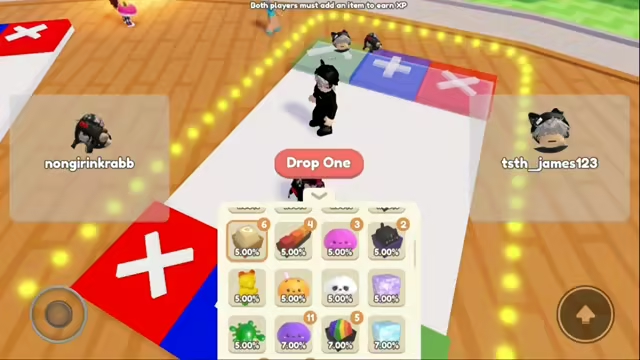
Trade interface with both players required to add an item and inventory percentage labels visible
Observed02:20
Both players must add an item to earn XPInventory counts and percentage labels are visible, but those labels are treated as a dated UI observation.
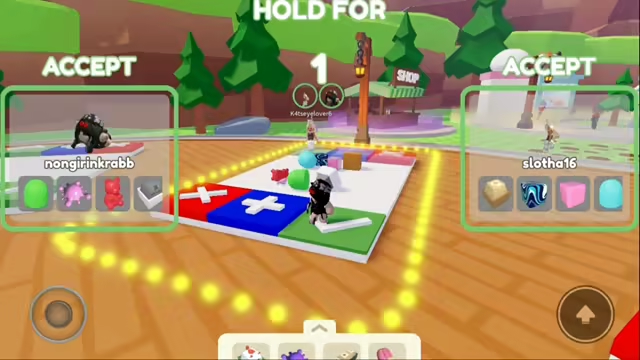
Both trade offers visible during the hold to confirm countdown
Observed09:14
Offers remain visible during confirmationA hold countdown gives players one more opportunity to reread both sides.
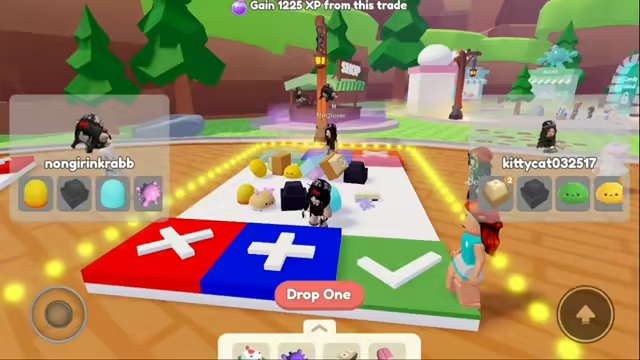
Completed trade showing a gain of 1225 XP with four visible item icons on each side
Observed11:03
One trade displayed 1,225 XPThis single outcome is not a reusable formula or a price for the visible items.
Observed trade log

2 samples, zero value-ready item records

Names were not verified, so these rows can support interface and XP observations—but not a value list.

DateVisible itemsXP shownUse
2026-08-133 vs 3472The completed-trade message is visible. Exact item names and a reusable value ratio were not verified.
2026-08-134 vs 41,225The completed-trade message and both offers are visible. This sample is not an official price or XP formula.
Timestamp log

Replay the visible evidence

  1. 02:20
    XP entry rule and inventory labels

    Both players must add an item; counts and percentage labels are visible.

  2. 09:14
    Hold-to-confirm countdown

    Both offers remain visible while the confirmation counts down.

  3. 11:03
    Completed trade XP

    The screen displays a 1,225 XP result for one dated example.

Method & correction

How we checked this page

How we checked this page

The video was reviewed at the listed timestamps. Only legible interface text and visible counts were recorded. Item identities, market prices, and a general XP formula were not inferred.

FAQ

Trade questions

Does Trade Check use official values?

No. Scores and preference percentages come from the player; the result is a transparent decision aid.

What is a fair result?

The tool labels a ratio from 0.90 through 1.10 as roughly fair, but collection fit and confidence still matter.

Should a duplicate or collection gap matter?

Only as much as it matters to you. Both preferences default to 0% and can be adjusted from 0% to 25%.

How do I avoid a switched offer?

Stop whenever an offer changes and reread every visible item and quantity during the confirmation countdown.